A Quiet but Critical Tool for CAN Development
What Is Silent Mode on a CAN Device?
In a standard CAN network, every active node participates fully in communication.
This includes:
Transmitting messages
Acknowledging (ACK) received frames
Influencing bus load and arbitration
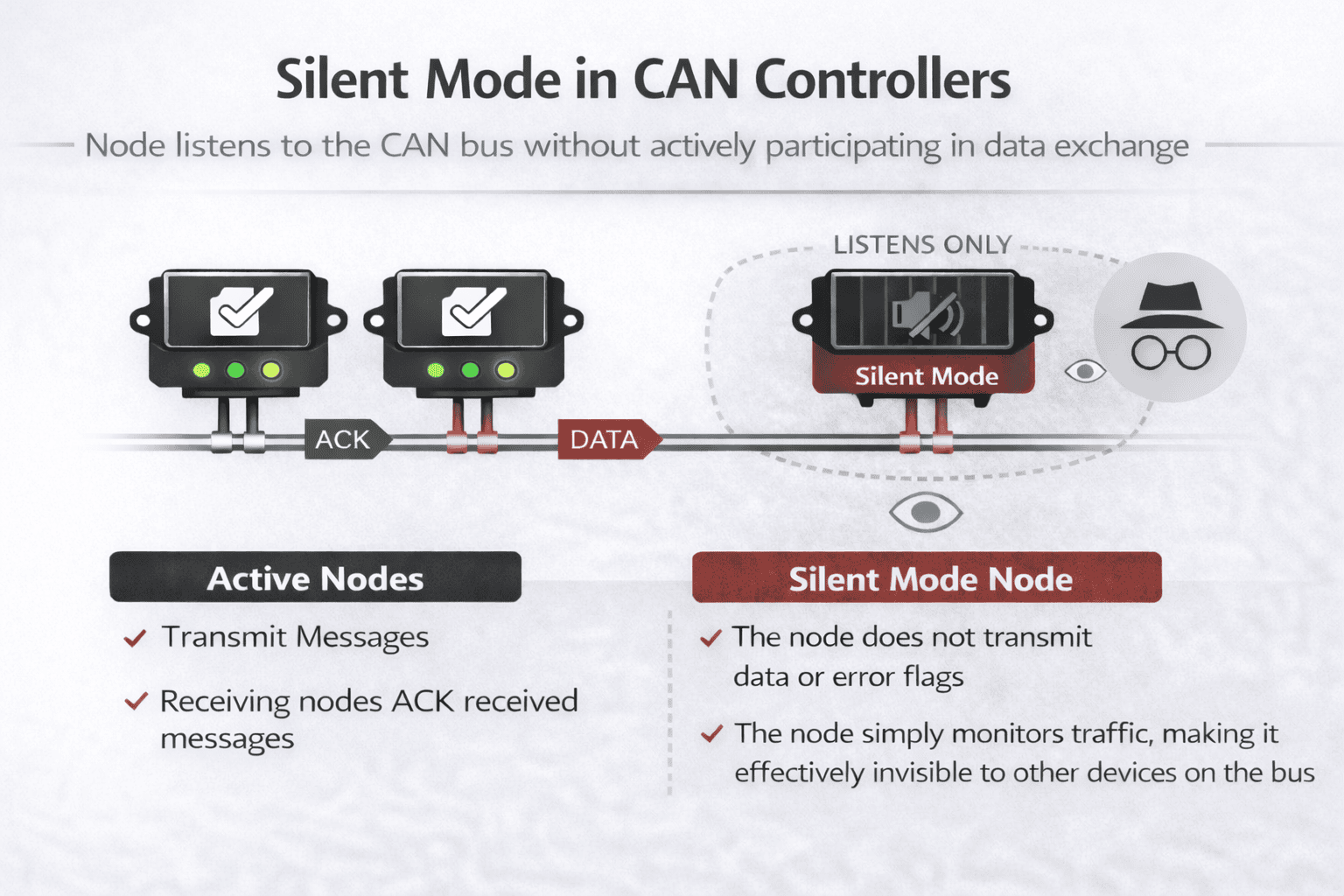
A CAN interface operating in Silent Mode (sometimes called listen-only mode) disables transmission and ACK behavior.
The device:
Listens to all CAN traffic
Decodes frames in real time
Does not acknowledge messages
Cannot affect arbitration, error handling, or bus timing
From the network’s perspective, the silent node is effectively invisible.
Why Silent Mode Matters in Development
1. Non-Intrusive Debugging
During early development or troubleshooting, the last thing an engineer wants is for a diagnostic tool to alter system behavior. Silent mode enables:
Safe connection to production ECUs
Monitoring safety-critical networks
Debugging issues that only occur under real-world conditions
Because the tool never transmits, it cannot mask wiring faults, timing issues, or missing nodes.

2. Verifying Network Health and Topology
Silent CAN devices are commonly used to:
Confirm that all expected messages are present
Measure bus load and message frequency
Detect unexpected traffic or rogue nodes
With ATI CAN interfaces, engineers can use CANLab to connect onto an existing vehicle or industrial network and immediately begin capturing traffic without influencing the system under test.

3. Supporting Compliance and Validation
In regulated industries such as automotive, off-highway, and industrial automation, validation teams must often prove that:
A system behaves correctly under defined conditions
Diagnostic tools did not influence test results
Using silent mode provides a clear audit trail showing that the measurement setup was passive. ATI tools configured in silent mode are frequently used during:
Acceptance testing
Field data collection
Customer-site troubleshooting

4. Parallel Development and Reverse Engineering
Silent mode is especially valuable when working with third-party or legacy systems where documentation may be incomplete. Engineers can:
Observe message IDs and payloads
Correlate signals to system behavior
Build databases without risk of interference
For example, an ATI CANLab interface can be connected in silent mode while engineers map traffic before enabling active simulation or message injection later in the development cycle.
Silent Mode in ATI CAN Tools
ATI designs its CAN interfaces and CANLab software with development-first workflows in mind. Silent mode support is a core feature across their professional toolchain.
Key Benefits in ATI Products
Hardware-level silent configuration to ensure zero bus impact
Seamless CANLab integration for logging, filtering, and decoding
Rapid switching between silent monitoring and active participation
Enterprise-ready reliability for lab, vehicle, and field use
This allows a single ATI interface to support the full lifecycle from passive observation to active testing without changing hardware.
When to Use Silent Mode vs Active Mode
Scenario | Recommended Mode |
Initial network discovery | Silent Mode |
Field data logging | Silent Mode |
Safety-critical system observation | Silent Mode |
ECU simulation or testing | Active Mode |
Fault injection | Active Mode |
A common best practice is to start silent, then go active once the system is understood.
Conclusion